Choosing how your project team is organized isn’t a paperwork decision—it’s the difference between hitting your milestones smoothly or spending half your week untangling confusion over who owns what. If you’ve ever led a project where tasks bounced around like a hot potato, or watched brilliant specialists get sidelined because no one was sure who they reported to… you already know how much structure matters. Whether you’re scaling from a small startup to a multi-project operation, taking on a cross-department initiative, or rethinking how your PMO works, this guide will help you architect a structure that supports your goals, protects your talent, and delivers results consistently.
What Is a Project Org Structure
A project organizational structure is the way roles, responsibilities, authority, and reporting relationships are arranged to manage and deliver a project. It defines who makes decisions, how tasks are assigned, how resources are shared, and how information flows across the team and stakeholders.
Why it matters:
Governance: Clear reporting lines reduce confusion and prevent conflicts.
Efficiency: Properly structured teams deliver projects faster and with fewer errors.
Accountability: Roles and responsibilities are visible to all stakeholders.
Key terms:
Project Manager (PM): Responsible for overall project success.
Functional Manager: Oversees team members within a specific department or specialty.
Program Manager: Manages multiple related projects under a program.
PMO (Project Management Office): Provides governance, standards, and support.
Sponsor: Provides funding, oversight, and strategic direction.
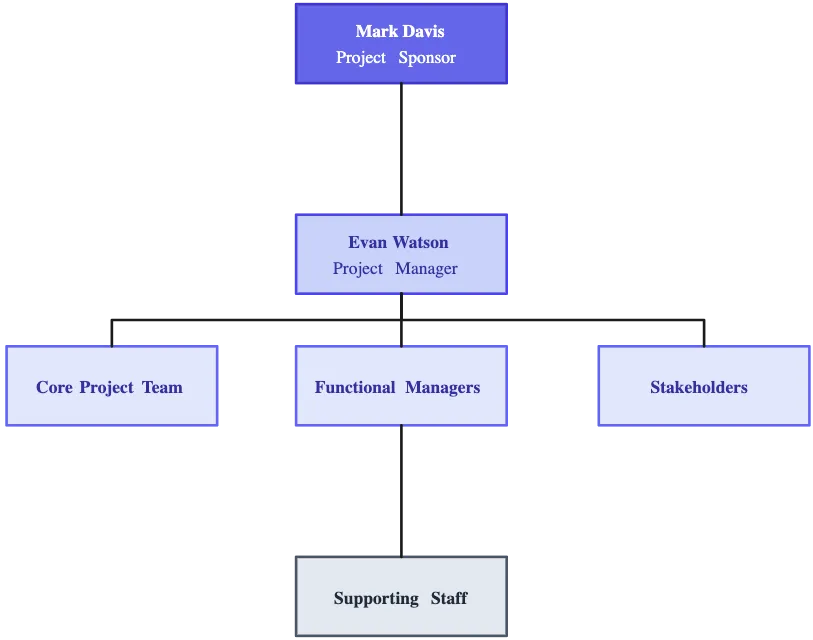
Visualizing your structure as an organizational chart helps team members understand who does what, who reports to whom, and how departments collaborate.
Features of a Project Organization Structure
A project organizational structure isn’t just a chart on the wall—it’s the engine that keeps your project moving. Here’s what makes a strong structure work:
Clear roles and responsibilities: Everyone knows what they own, who they report to, and who they collaborate with. No more guessing, double work, or “I thought you were doing that” moments.
Defined decision-making authority: Who calls the shots? Who can approve changes? When authority is clear, decisions happen fast, and projects don’t stall in endless back-and-forths.
Smooth communication channels: Information flows efficiently from team to team, manager to manager, and up to stakeholders. When communication paths are built into the structure, updates and feedback happen naturally.
Effective resource management: Resources—people, budget, tools—are allocated in a way that matches project priorities. Teams know who can access what and when, reducing conflicts and overloading.
Escalation and conflict resolution paths: Projects inevitably hit bumps. A strong structure lays out how problems are flagged, who resolves them, and how quickly decisions are made to keep momentum going.
Alignment with project goals: The structure supports your objectives rather than creating obstacles. Every role, reporting line, and workflow is designed to help the team deliver on time and within scope.
Flexibility and adaptability: Projects evolve, and so should the structure. The best setups can scale, adjust roles, and shift resources as priorities change—keeping the project nimble and responsive.
Types of Project Organizational Structures
The way a project team is organized directly affects how decisions are made, how tasks flow, and how smoothly the project runs. Choosing the right structure depends on factors like project size, complexity, resource availability, and organizational goals. Here’s a breakdown of the main types:
1. Functional Structure
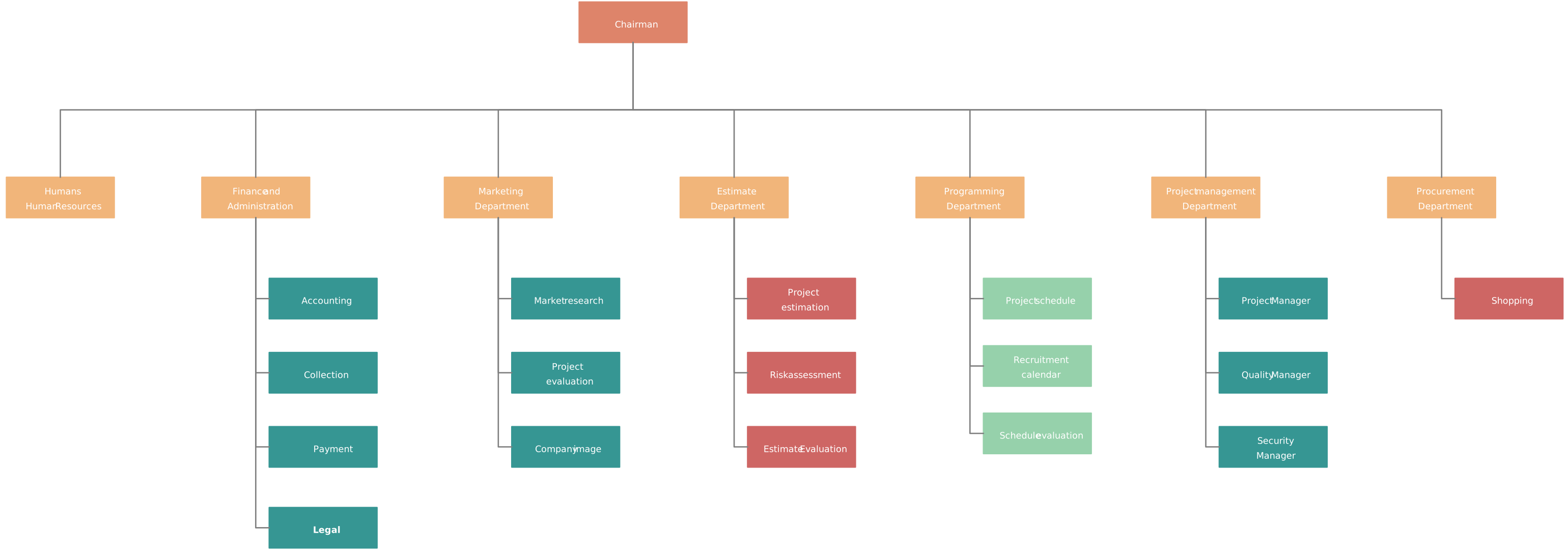
In a functional structure, the organization is divided into traditional departments, such as engineering, marketing, or HR. Each department is led by a functional manager, who oversees and coordinates project work within their area. Team members are drawn from their departments to support projects but remain part of their home department.

How it works:
Project work is carried out within departments.
Project managers, if they exist, often have limited authority.
Team members report to their functional manager, not the project manager.
Example: If you’re launching a new website, the design team handles graphics, the developers write code, and the content team creates copy. Each reports to their respective department manager.
Pros:
Leverages deep expertise within each department.
Clear reporting lines and structured workflow.
Efficient for projects that stay within one department.
Cons:
Poor coordination across departments.
Decisions may be slow due to departmental silos.
Project manager has little authority over resources or priorities.
Best for: Small, low-complexity projects or projects that rely heavily on one department.
2. Projectized (Project-Based) Structure
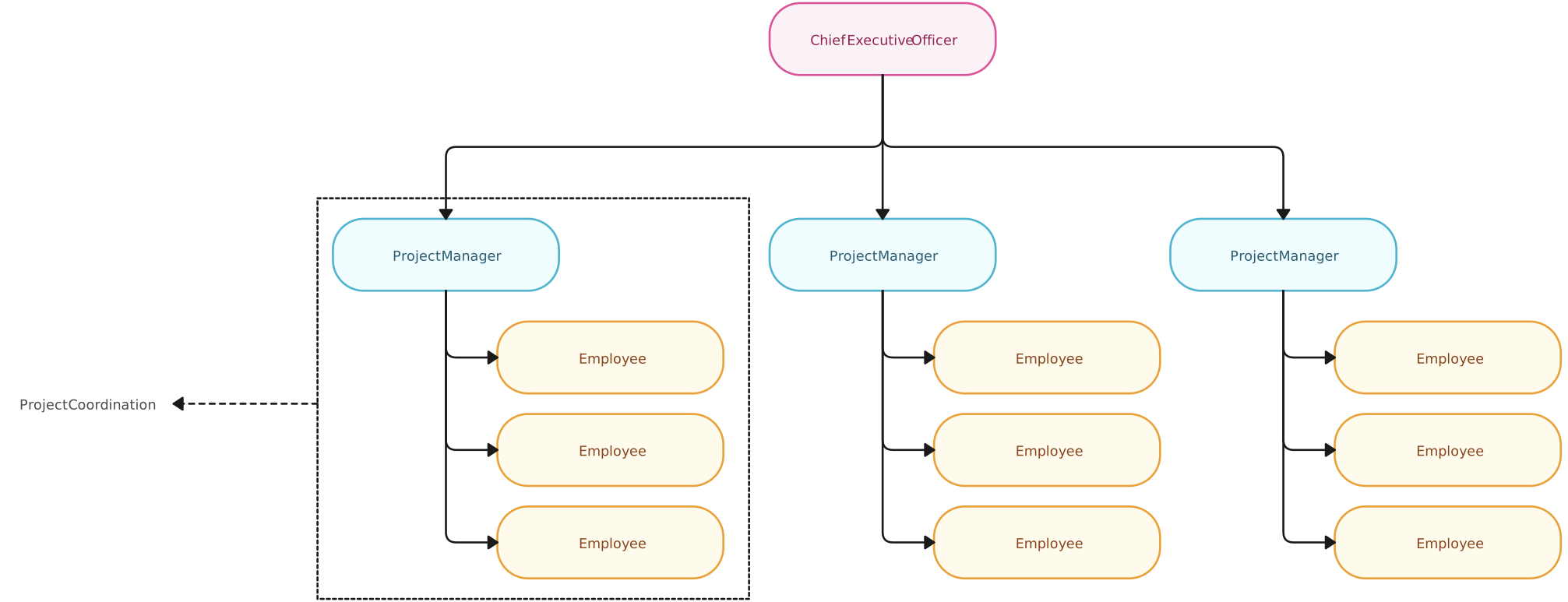
In a projectized structure, organizations create dedicated project teams. Project managers have full authority over the project, and team members are assigned exclusively to that project. The team exists for the duration of the project, and members may be reassigned once the project ends.
How it works:
Teams are formed specifically for a project.
Once the project ends, team members are reassigned.
The project manager controls budgets, schedules, and priorities.
Example: A company building a new mobile app may form a dedicated team of developers, designers, QA testers, and marketers who only work on that app until it launches.
Pros:
Fast decision-making and clear accountability.
Team is fully focused on project goals.
Strong cohesion and team alignment.
Cons:
Resources may be underutilized between projects.
Specialists may be duplicated across multiple projects.
Less opportunity to leverage functional expertise outside the project.
Best for: Large, complex projects where focus and speed are crucial.
3. Matrix Structure
A matrix structure blends elements of both functional and projectized organizational models. In a matrix, team members report to two managers: their functional manager (who oversees their specialty, like engineering or marketing) and a project manager (who oversees the project tasks). This setup allows organizations to balance specialized expertise with a focus on project goals.
Because authority is shared, matrix structures can take different forms depending on who holds more control:
Types of Matrix Structures:
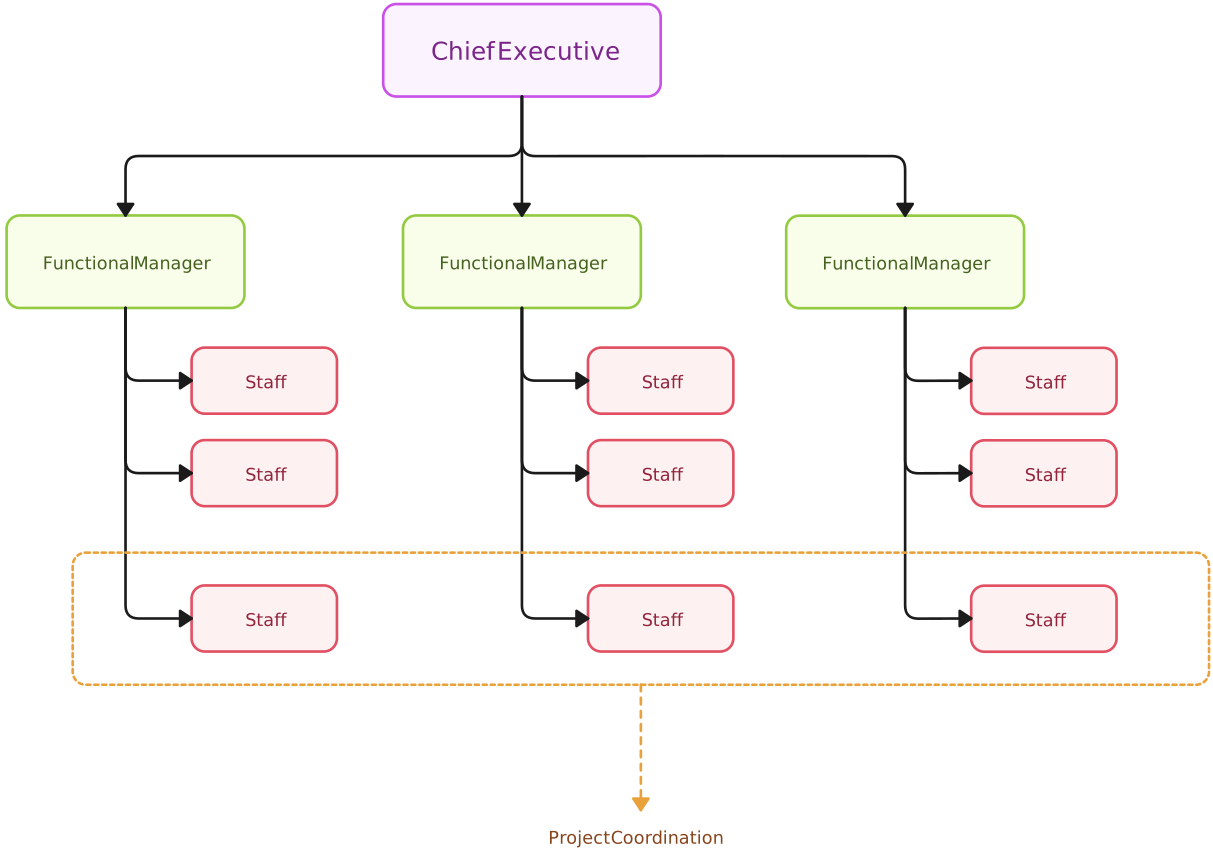
1. Weak Matrix: Project manager acts mainly as a coordinator; functional managers have more authority.
How it works:
The functional manager has most of the authority over team members.
The project manager acts mostly as a coordinator or facilitator, assigning tasks and monitoring progress but lacking strong control over resources or decisions.
Team members spend most of their time on functional work and only part of their time on project tasks.
Example: A software developer reports primarily to the engineering manager and occasionally works on a project under a project manager, who can suggest timelines but cannot assign tasks directly.
Pros:
Maintains strong functional oversight and control.
Good for projects where functional expertise is critical.
Cons:
Project manager has limited authority, so decisions can be slow.
Conflicts may arise if project priorities clash with departmental priorities.
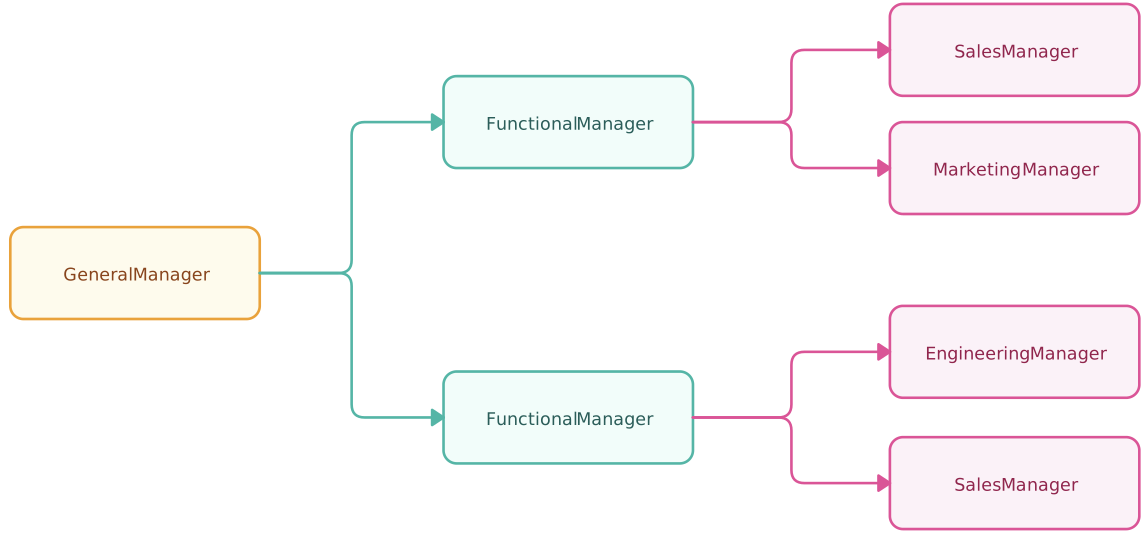
2. Balanced Matrix: Authority is shared between project and functional managers.
How it works:
Authority is shared equally between the functional manager and the project manager.
Team members report to both managers, splitting their time and responsibilities.
Both managers collaborate on planning, decision-making, and resource allocation.
Example: A marketing specialist divides their time 50/50 between ongoing department campaigns (functional work) and a product launch project (project work), with both managers jointly approving schedules and tasks.
Pros:
Encourages collaboration between departments and projects.
Flexible resource allocation across multiple projects.
Supports balanced decision-making with input from both functional and project perspectives.
Cons:
Dual reporting can create confusion about priorities.
Requires strong communication and conflict-resolution practices.
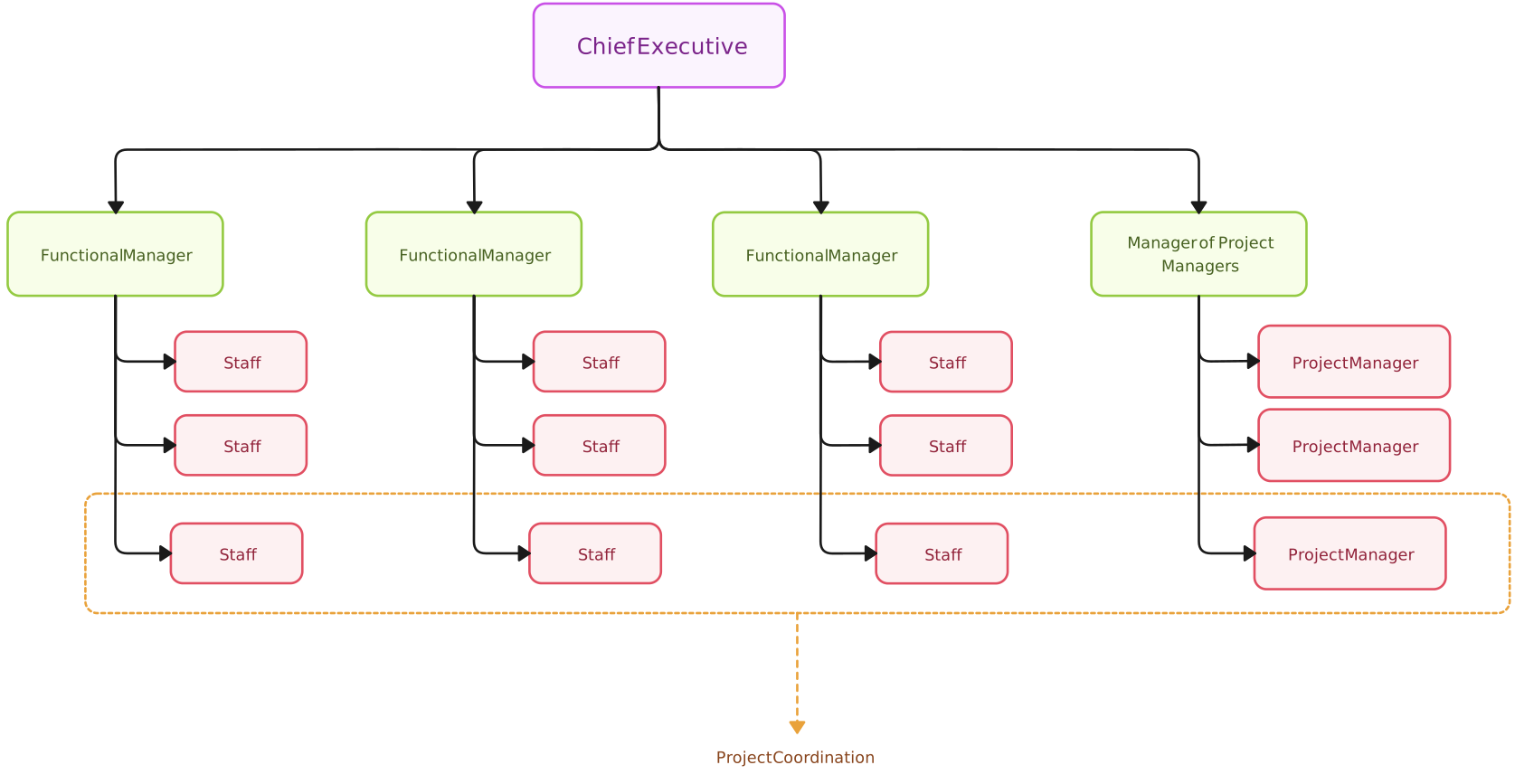
3. Strong Matrix: Project manager has primary authority; functional managers support.
How it works:
The project manager has primary authority over team members for the duration of the project.
Functional managers provide guidance and support, but project tasks and decisions are largely controlled by the project manager.
Team members are often fully dedicated to the project, though they may maintain some functional ties.
Example: An engineer is assigned full-time to a product development project. The project manager sets daily tasks, deadlines, and priorities, while the functional manager continues to provide career guidance and technical support.
Pros:
Clear project focus and accountability.
Faster decision-making since the project manager has authority.
Ideal for complex, cross-functional projects requiring dedicated attention.
Cons:
Functional departments may feel less in control of resources.
Requires careful alignment to avoid conflicts over career development or technical guidance.
Best for: Projects requiring expertise from multiple departments and flexible resource sharing.
4. Hybrid / Composite Structure
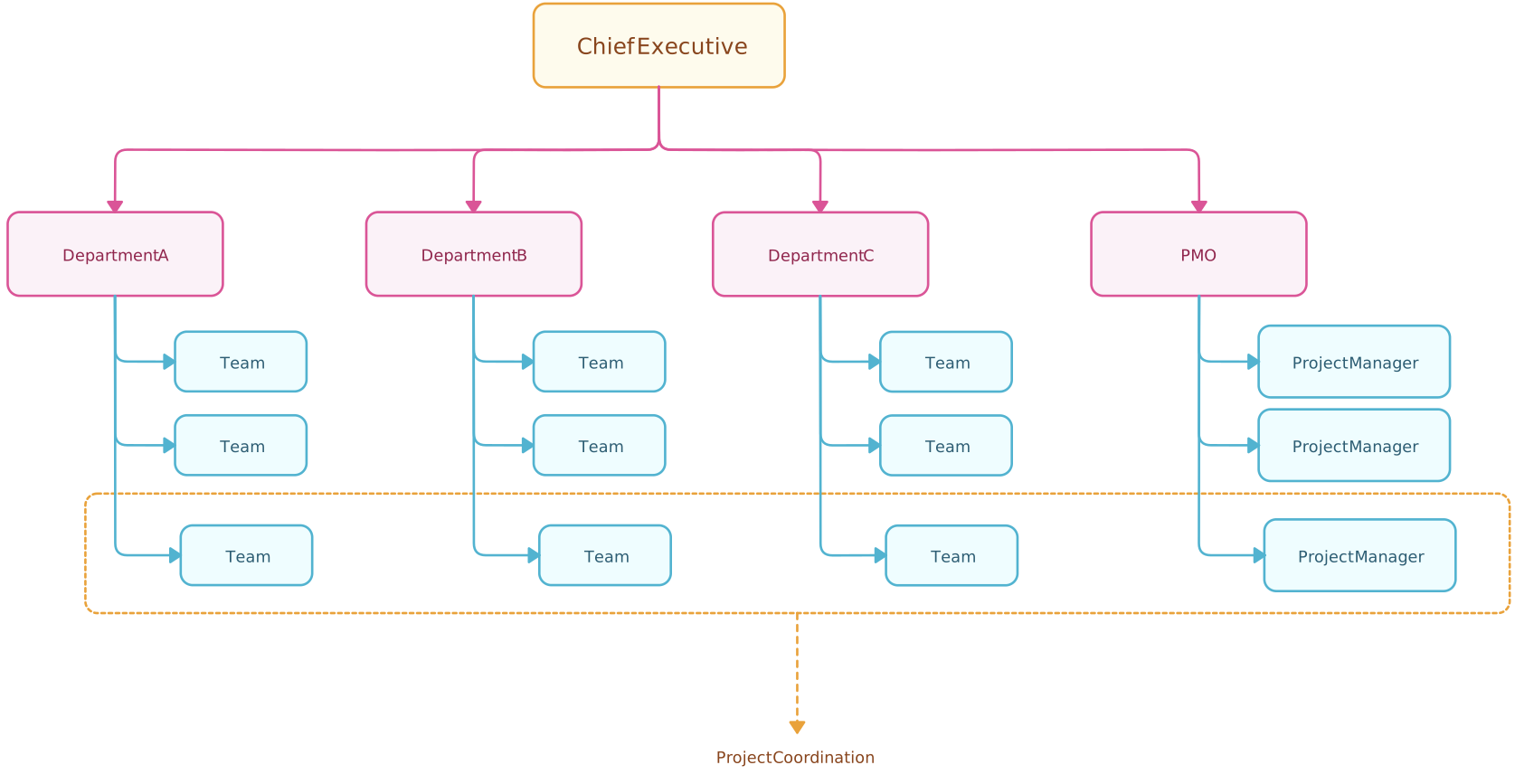
Hybrid structures combine elements of functional, projectized, and matrix setups. They are tailored to suit complex projects, multiple teams, or organizational needs.
How it works:
Different parts of the organization may use different structures depending on project requirements.
Teams can be partially dedicated or fully dedicated, depending on priority and resources.
Example: A construction company might run engineering teams in a functional structure, while individual construction projects are managed using projectized teams. A marketing campaign supporting multiple projects may use a matrix setup.
Pros:
Highly flexible and adaptable to different projects.
Balances functional efficiency with project focus.
Supports scaling across multiple projects simultaneously.
Cons:
Can be complex to manage.
Risk of confusion if roles and authority are not clearly defined.
Requires strong governance and communication systems.
Best for: Large organizations handling multiple projects of varying types, sizes, and complexity.
How to Choose the Right Project Org Structure
Selecting the right project organizational structure is crucial because it determines how work flows, who makes decisions, and how effectively your team can deliver results. The “perfect” structure depends on multiple factors — there’s no one-size-fits-all.
Key factors to consider
Company size: Smaller organizations often don’t have the resources to dedicate full-time project teams, so functional or hybrid structures may work best. Larger companies typically have the flexibility to support projectized teams or complex matrix structures.
Project duration and complexity: Short, simple projects are easier to manage with functional structures. Long-term or highly complex projects benefit from projectized or strong matrix structures, which provide dedicated teams and clear accountability.
Resource availability: If specialists can be dedicated full-time, projectized or strong matrix structures are viable. If resources are shared across multiple projects, functional or weak matrix structures may make better use of existing talent.
Regulatory or compliance requirements: Projects in highly regulated industries may require centralized decision-making and clear reporting lines, which influence the choice of structure. Less regulated environments allow more flexibility and distributed authority.
Need for specialization versus cross-functional collaboration: Projects requiring deep functional expertise may perform better in functional or weak matrix structures. Projects that demand collaboration across multiple departments often succeed in strong matrix or hybrid setups.
Using a decision matrix
A decision matrix is a simple, visual tool to compare different project structures against the factors above. Each factor can be scored for each structure (e.g., functional, projectized, weak matrix, strong matrix, hybrid), and the structure with the highest overall score typically fits the project best.
| Factor | Functional | Projectized | Weak Matrix | Balanced Matrix | Strong Matrix | Hybrid |
| Company Size: Small | ✔ | ⚪ | ✔ | ⚪ | ⚪ | ⚪ |
| Company Size: Large | ⚪ | ✔ | ✔ | ✔ | ✔ | ✔ |
| Project Duration: Short | ✔ | ⚪ | ✔ | ⚪ | ⚪ | ⚪ |
| Project Duration: Long | ⚪ | ✔ | ⚪ | ✔ | ✔ | ✔ |
| Resource Availability: Shared | ✔ | ⚪ | ✔ | ✔ | ⚪ | ✔ |
| Resource Availability: Dedicated | ⚪ | ✔ | ⚪ | ✔ | ✔ | ✔ |
| Regulatory Requirements: High | ✔ | ⚪ | ✔ | ✔ | ✔ | ✔ |
| Need for Specialization | ✔ | ⚪ | ✔ | ✔ | ✔ | ✔ |
| Need for Cross-functional Work | ⚪ | ✔ | ⚪ | ✔ | ✔ | ✔ |
✔ indicates suitable ⚪ indicates less suitable
How to Make a Project Organizational Chart
Here’s a practical approach to build a project org chart that works—whether you use a whiteboard, online tool, or org chart software like Creately:
Step 1. List Everyone Who Will Be Involved
Start by making a complete list of all people involved in the project. This includes:
Core team members: Project Manager, Team Leads, Contributors.
Support roles: Administrative staff, technical support, or other assisting roles.
Stakeholders and Sponsors: People who oversee the project or have a vested interest in its outcome.
At this stage, don’t worry about arranging them on the chart. Just focus on capturing all the names, titles, and roles. Having a complete list ensures no one is overlooked when you start drawing.
Step 2. Define Roles and Reporting Relationships
Once you have your list of everyone involved, clarify who is responsible for what and who reports to whom. For each person, ask:
Who is their direct manager?
Who do they collaborate with regularly?
What are their main responsibilities in the project?
To make this easier, create a RACI matrix to assign:
Responsible – who executes the task
Accountable – who owns the outcome
Consulted – who provides input or expertise
Informed – who needs to stay updated
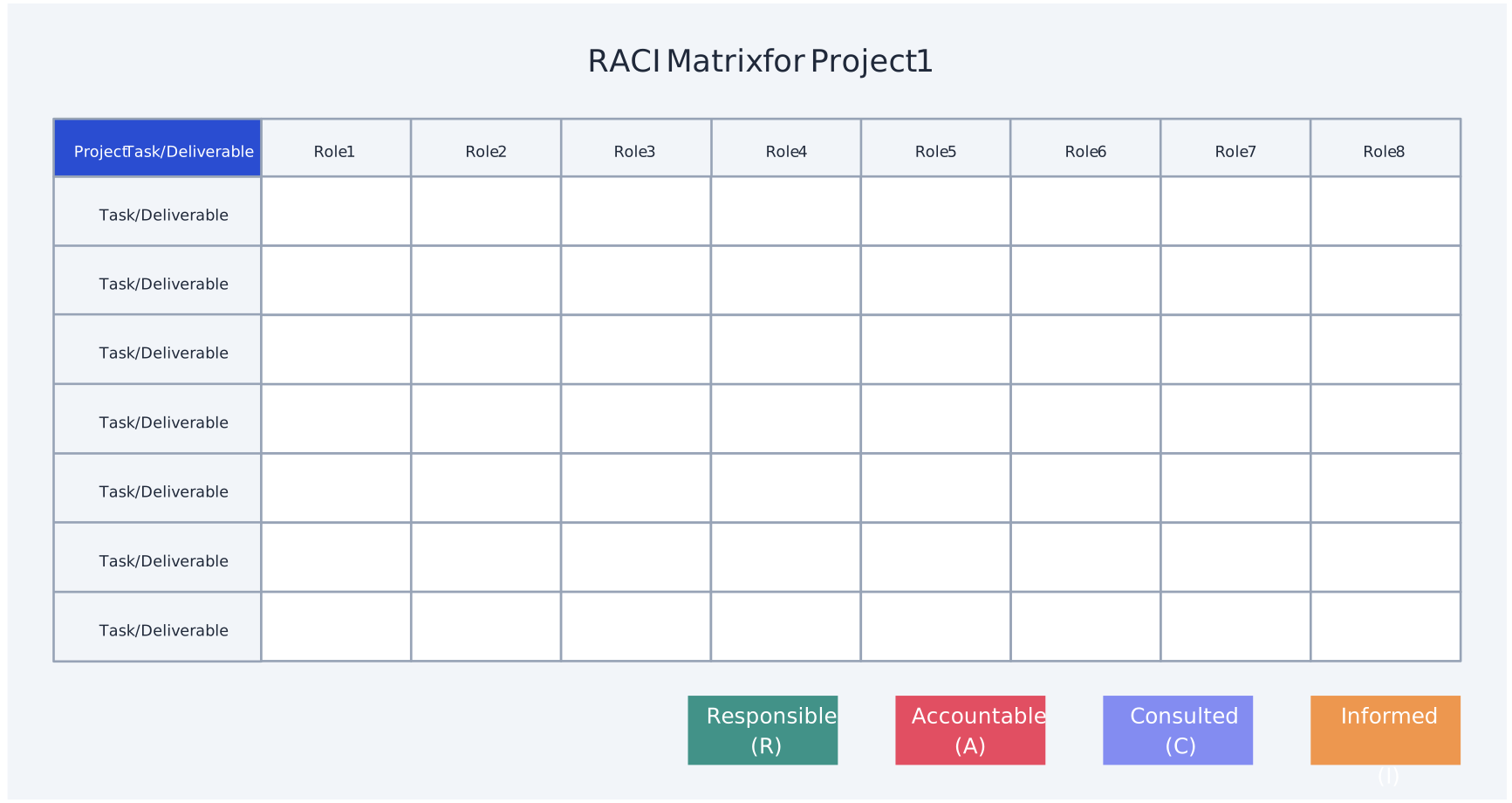
This ensures your org chart accurately reflects authority, accountability, and collaboration, including any cross-functional or dual-reporting relationships.
Step 3. Decide What to Include
A good org chart isn’t just boxes and lines—it should clearly communicate the structure and responsibilities. Make sure your chart reflects:
Roles and Titles: Show who’s who (Project Manager, Leads, Team Members, Stakeholders, Support Roles).
Reporting Lines / Hierarchy: Who reports to whom, and who’s accountable for each part of the project.
Departments or Functions (if relevant): Group team members by function (Design, Engineering, QA, Marketing) to show cross-functional collaboration.
Stakeholders and Sponsors: Include oversight roles, steering committees, or external stakeholders.
Cross-Functional or Dotted-Line Relationships: Clearly show dual reporting, part-time roles, or temporary assignments with dotted or dashed lines.
This ensures that your chart provides both clarity and a realistic view of how the project operates.
Step 4. Choose a Layout or Template
Next, decide how your chart will look visually:
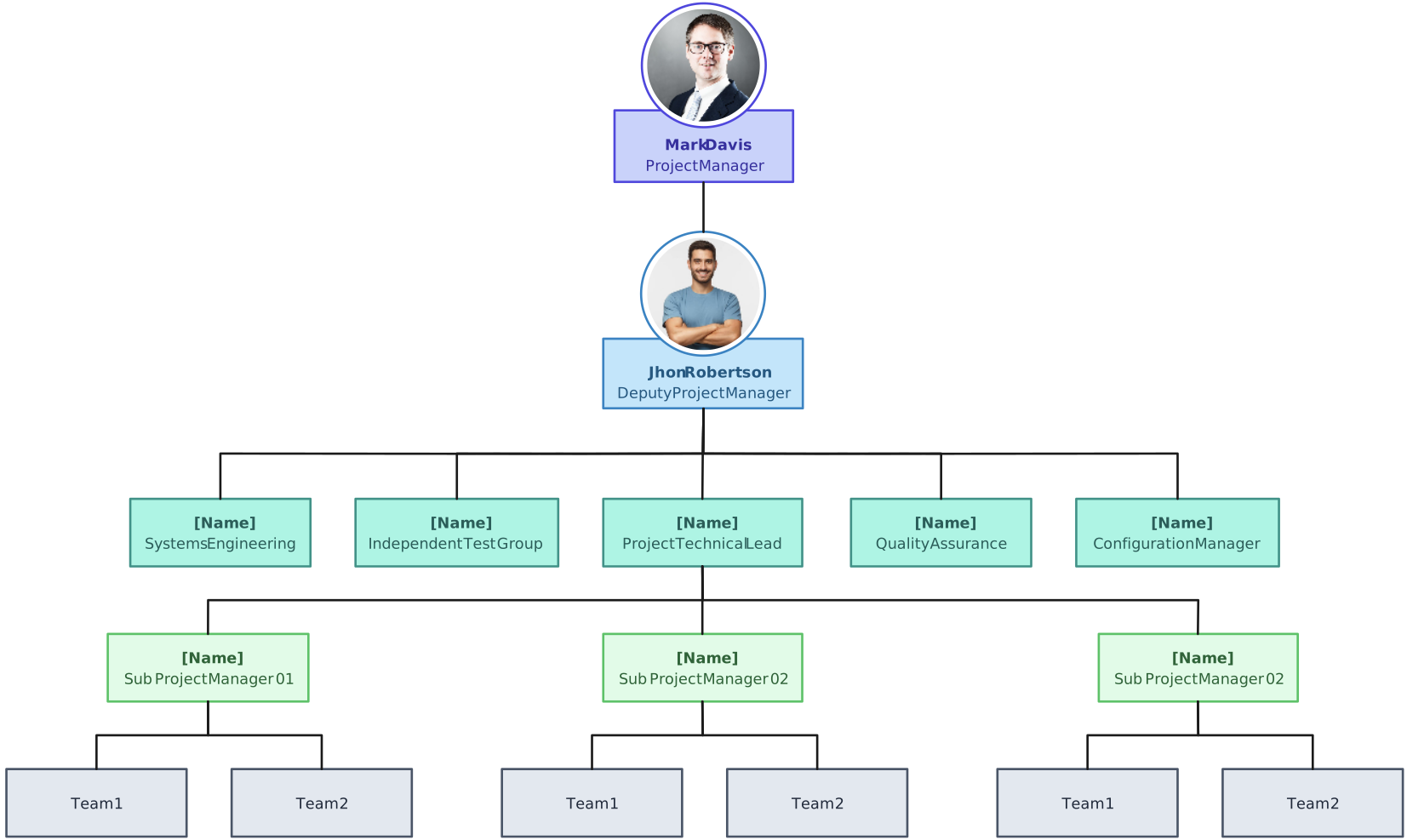
Hierarchy (Top-Down) Chart: Ideal if your project has a clear chain of command. The Project Manager sits at the top, with team leads and members arranged below.
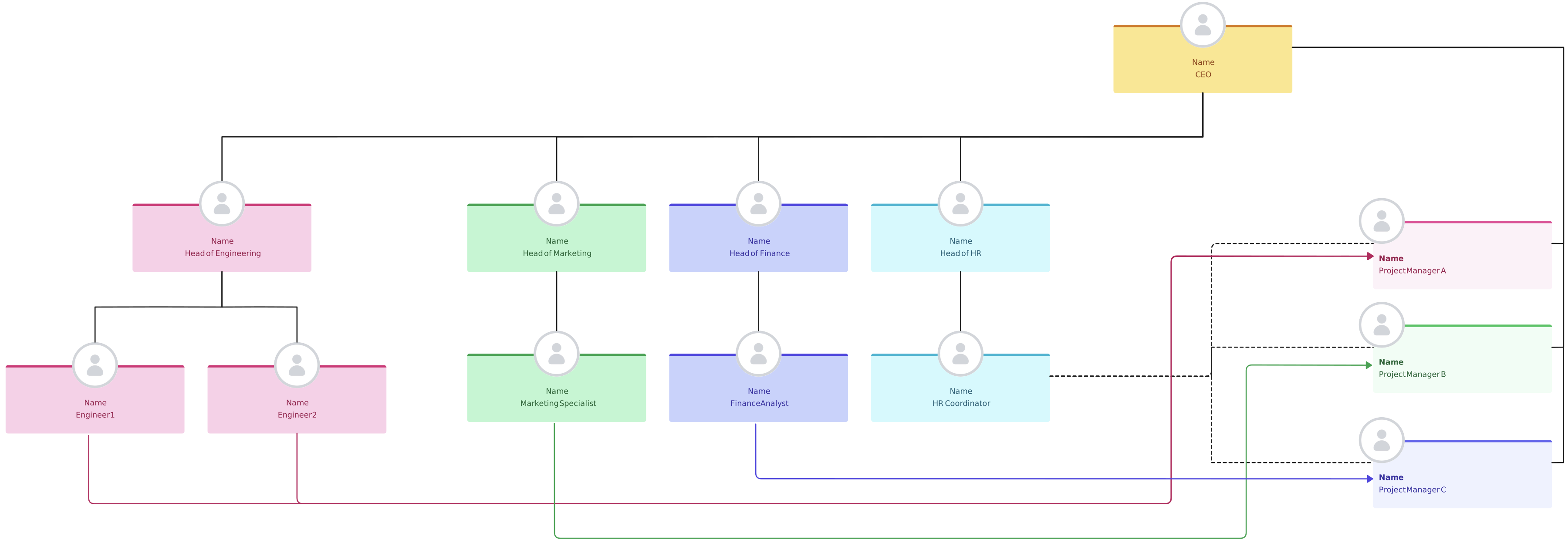
Matrix Chart: Use this if some team members report to more than one manager, or if your project involves multiple functions.
Creately offers multiple pre-made org chart templates, which can save time and make your chart look professional.
Step 5. Populate the Chart with Names, Titles, and Functions
Now start filling in the boxes:
Include each person’s name and role/title.
Optionally, add department or function if it helps clarify responsibilities.
Keep formatting consistent: same font, box size, and color scheme. This makes the chart easy to read at a glance.
Step 6. Draw Clear Reporting Lines
Use straight lines or arrows to show who reports to whom.
For complex relationships, like matrix or dotted-line reporting, use dashed or dotted lines.
Ensure the chart makes it immediately clear who has authority, who provides support, and who collaborates across teams.
Step 7. Include Stakeholders, Sponsors, and Cross-Functional Links
Show external or oversight roles like sponsors, steering committees, or regulatory reviewers.
Include cross-functional collaborations or dual-reporting relationships.
Highlight these roles clearly to ensure accountability and transparency.
Step 8. Share, Review, and Update Regularly
A project org chart is a living document:
Share the draft with the team and stakeholders for feedback.
Ensure names, titles, and reporting lines are accurate.
Update the project management hierarchy structure whenever team members join or leave, roles change, or responsibilities shift.
Regular updates keep the chart relevant and useful, especially for onboarding new team members or communicating with stakeholders.
Helpful Resources
Discover 10 practical matrix org chart examples to visualize dual reporting lines, improve collaboration, and streamline your matrix organizational structure in project management.
Easily make organizational charts to visualize the reporting structure of your organization for effective HR planning and management with org chart maker.
Org chart best practices you need to follow to effectively make use of them and the data within org charts. Learn to create org charts like a pro.
Learn the difference between functional and divisional organizational structures, with examples, pros & cons, a comparison table and guidance on which to choose.
Project Organizational Structure Examples
Understanding project organizational structures becomes much easier when you see them in action. Here are some practical examples for the main types of project structures:
Project Organizational Chart
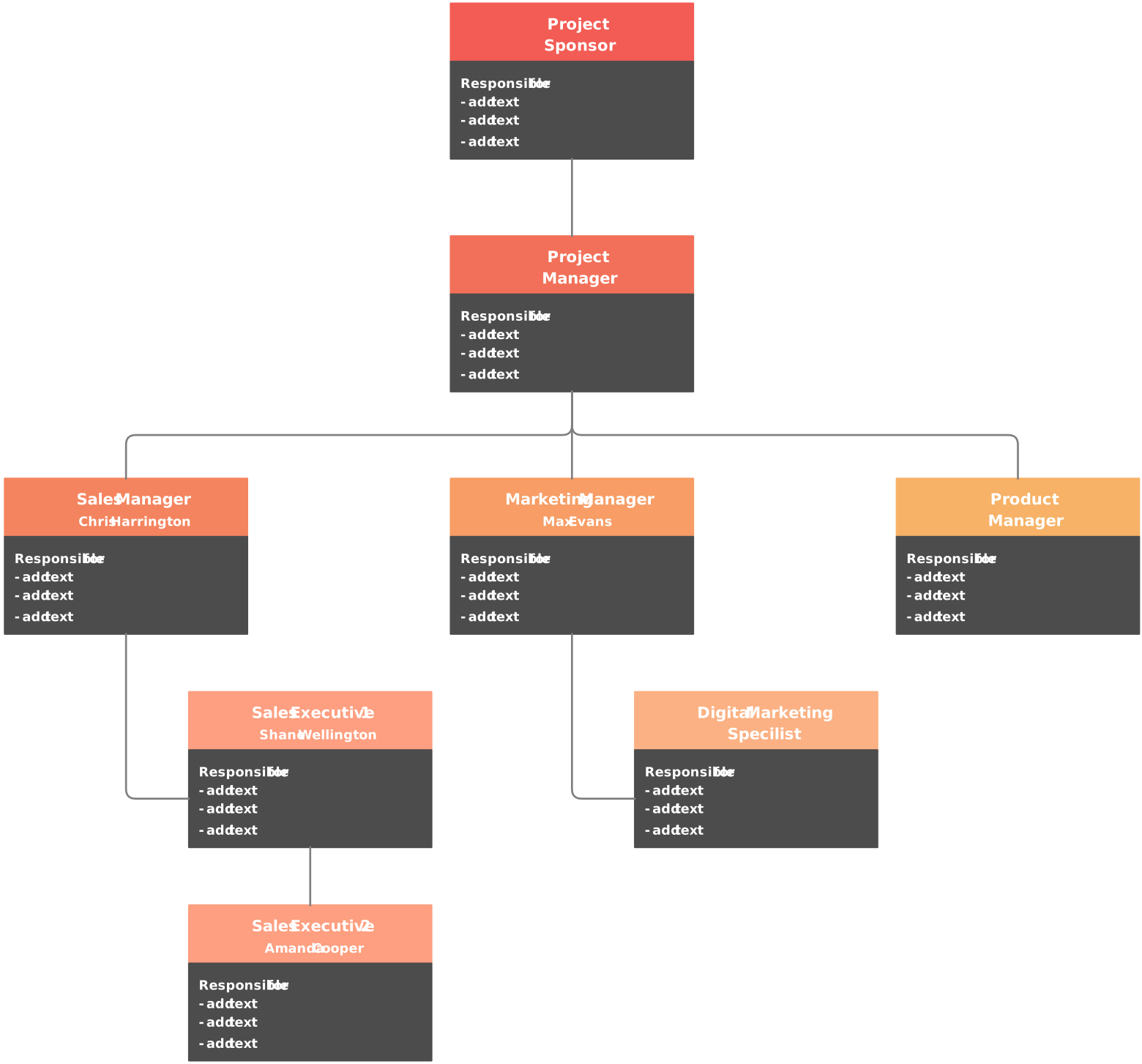
Project Based Org Chart
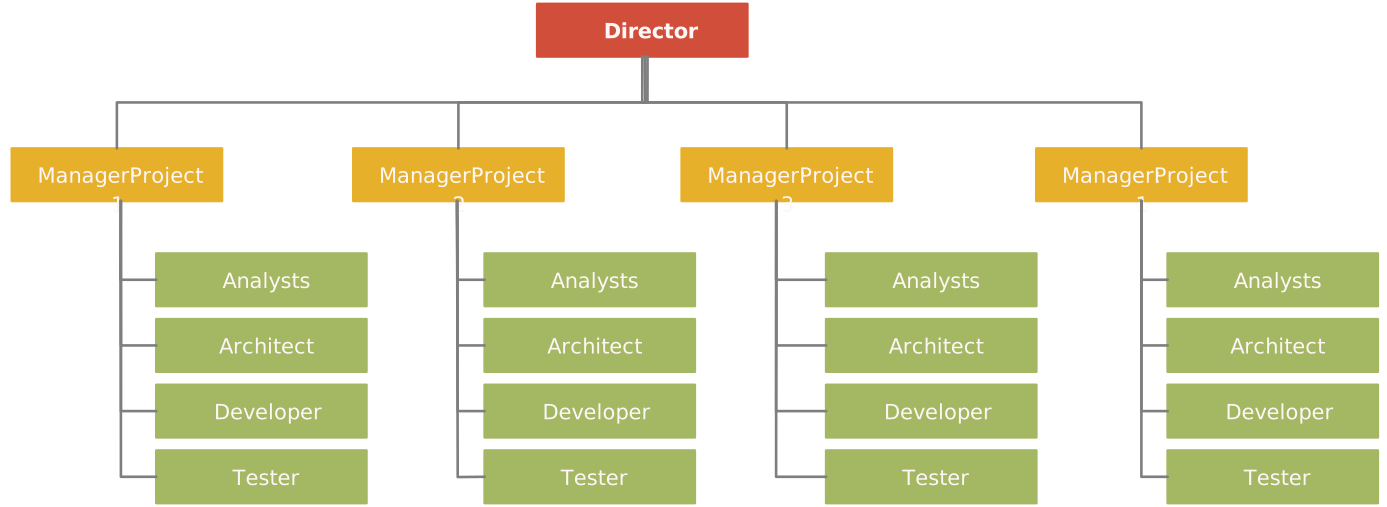
Project Structure Org Chart
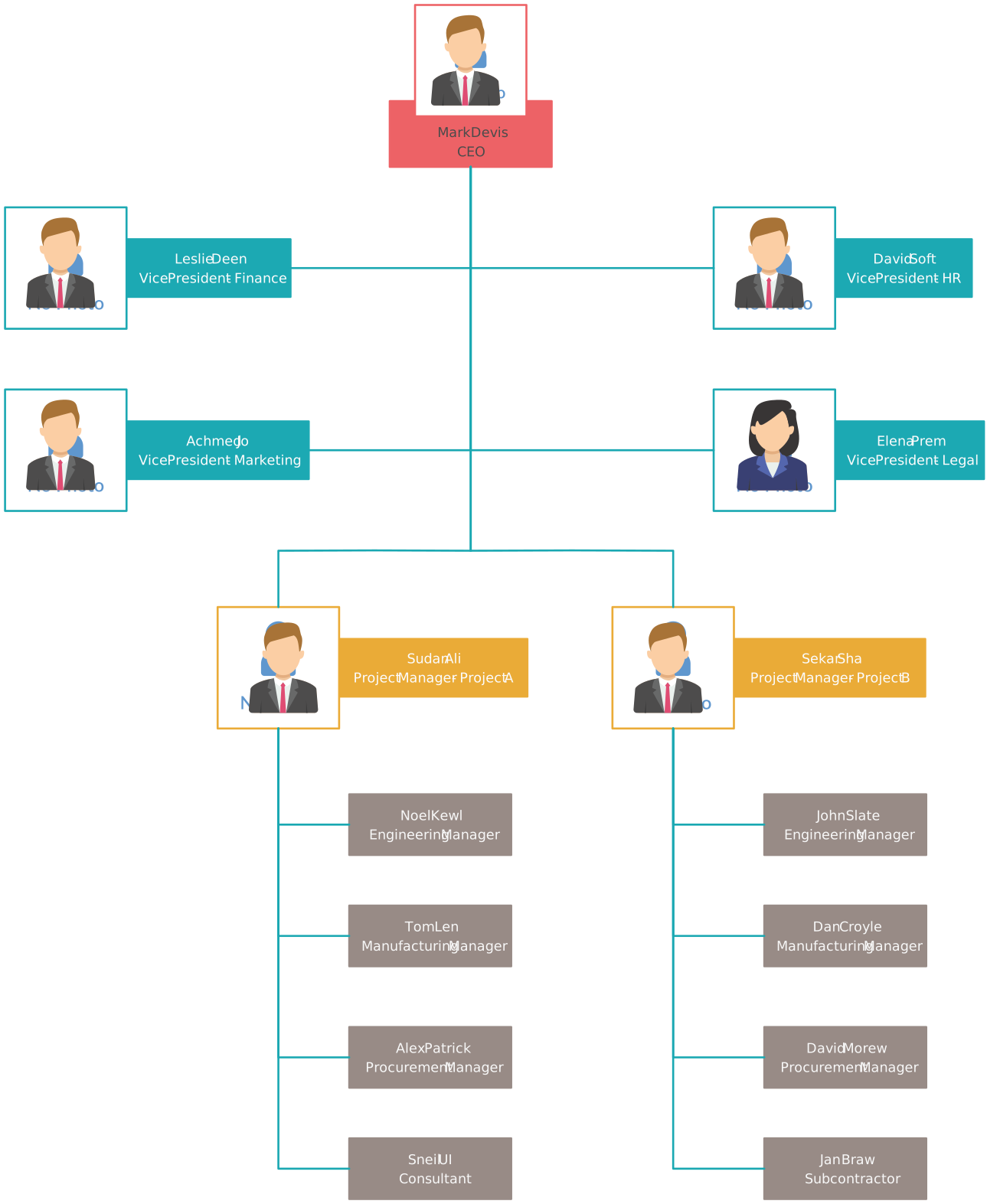
Project Organizational Chart Template
Project-Based Matrix Structure Org Chart
FAQs About the Project Management Organizational Structure
What are the benefits of having a project organizational structure?
How does a company’s organizational structure impact project management?
How can Creately help you implement your project based organization structure effectively?
What to consider when creating a project management team structure?
Can a project use more than one organizational structure?
How long does it take to transition to a new project organizational structure?
How do you measure if a project oriented organizational structure is working effectively?